CurlGo
Your API tool. Your choice.
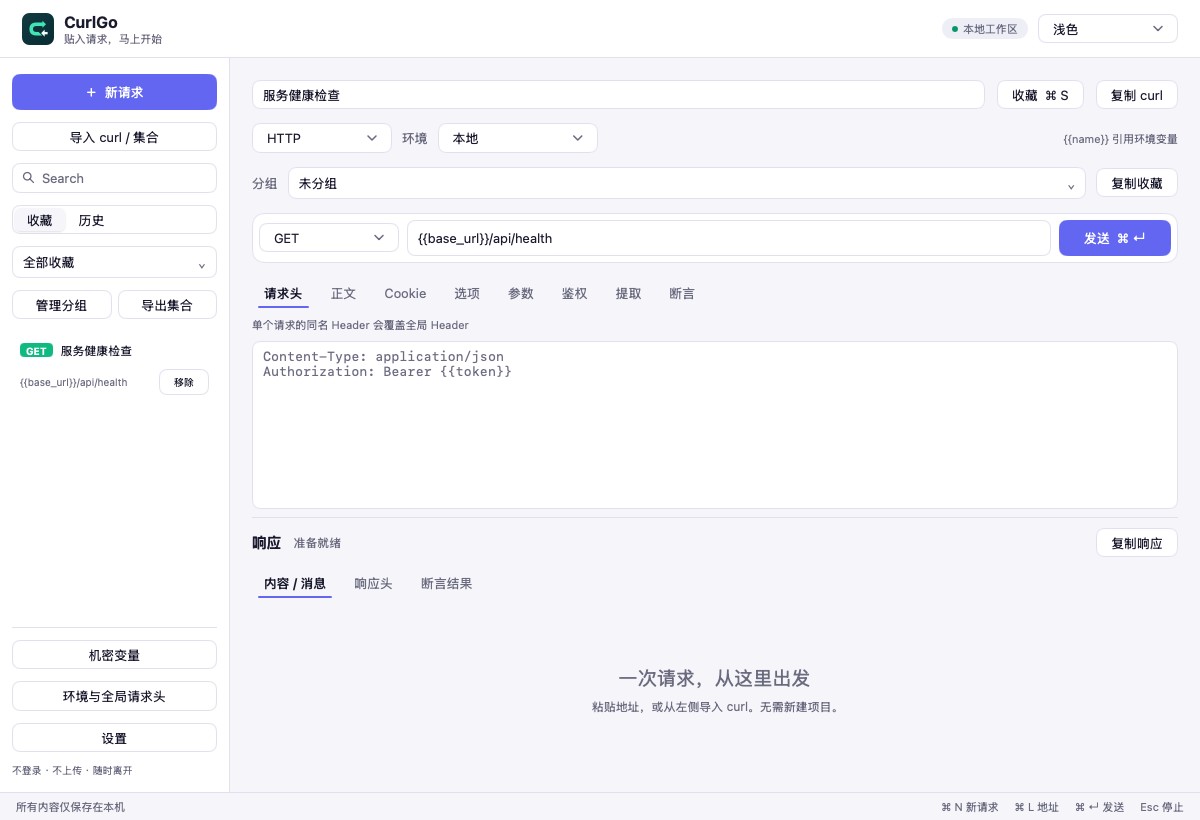
Open it, paste a request, and start. HTTP, SSE and WebSocket in one native workspace, with drafts, collections and history saved on your computer.
The first installer is for Mac with Apple silicon. Windows and Linux currently have source code, without installers.
This is a desktop app. Open this page on an Apple silicon Mac to download, or watch the product video below.
The current installer is for Apple silicon. Intel Macs do not have an installer yet; source code is available on GitHub.
 点击放大
001 / 005
Start with one request.
Meet CurlGo in 69 seconds: send a request, inspect the response, and choose whether to connect an agent. Chinese narration with Chinese captions. The video loads when you play it.
002 / 005
Three ways to connect.
Debug APIs with HTTP / HTTPS, receive a stream of SSE events, or exchange WebSocket messages. Edit headers, bodies, authentication and environment variables; send, cancel and copy curl from the workspace.
HTTP / HTTPSSSEWebSocket
HTTP / HTTPS
Send requests and inspect status codes, headers and bodies.
SSE
Receive events continuously and inspect the stream.
WebSocket
Connect and exchange messages in both directions.
003 / 005
Keep the requests you already have.
Paste curl, or import Postman v2.1, Bruno and CurlGo collections. Preview the content before saving it. Collection scripts are not executed; workflows that rely on scripts need to be migrated separately.
Bring your requests
Start from curl text or a collection file.
curl · Postman v2.1 · Bruno
Preview the content
Check methods, URLs and request content.
Save locally
Add to saved requests and organize them in groups.
004 / 005
A 200 response is only the start.
Use declarative assertions to check status codes, headers, JSON fields or response bodies. Extracted variables are written to the environment only after a complete 2xx response and passing assertions, ready for the next request.
Check the response
Inspect the body, headers and elapsed time.
Run assertions
See an explicit result for every rule.
Extract variables
Save after validation and continue with the next request.
005 / 005
Connect an agent when you choose.
The desktop app does not automatically install skills, plugins or MCP servers, or change Codex, Claude Code or Copilot settings. Install the optional API Test Skill when you need it and call the CurlGo CLI. Start with --dry-run for local preflight. The skill needs a CurlGo executable.
Choose to install the skill
Confirm the target agent, installation scope and path.
Preflight locally
Resolve the request and check configuration without sending it.
curlgo run --request request.json --dry-run
Run and verify
Send the HTTP request and check assertions under your instruction.
Clear boundaries for your work.
The workspace stays on your computer and API requests go to your chosen addresses. Background update checks contact GitHub and can be disabled in Settings.
A local workspace
No account, and no uploads of drafts, saved requests or history to a CurlGo cloud. The app has no account or cloud sync service.
Skills are a separate choice
The desktop app does not register agent startup hooks or approve trust on your behalf. Removing the app does not remove skills you installed separately.
Secrets when you need them
The macOS Keychain stores the master key; a separate encrypted file stores secret values. Exported curl and collections retain variable references.
Updates under your control
See your version and check manually in Settings. Background checks are on by default; automatic downloads and installation are off. Updates are signature-verified before installation. Users of 0.1.0 must upgrade manually once. In-place updates require an official build and a writable installation directory; otherwise, upgrade manually with the installer.
Make your first request.
The first installer supports macOS on Apple silicon. Other platforms and Intel Macs currently have source code.
Download, open, paste a request
- Download the DMG and drag CurlGo to Applications.
- Open CurlGo and paste a URL, or use Import curl / collection.
- Send the request and inspect the response; add environments, authentication and assertions as needed.
The v0.1.0 installer is Developer ID signed and Apple notarized. Checksums are available in the GitHub release.